
Formia AI Review 2026 — AI 2D to 3D Logo Maker (Instant, No Design Skills Needed)
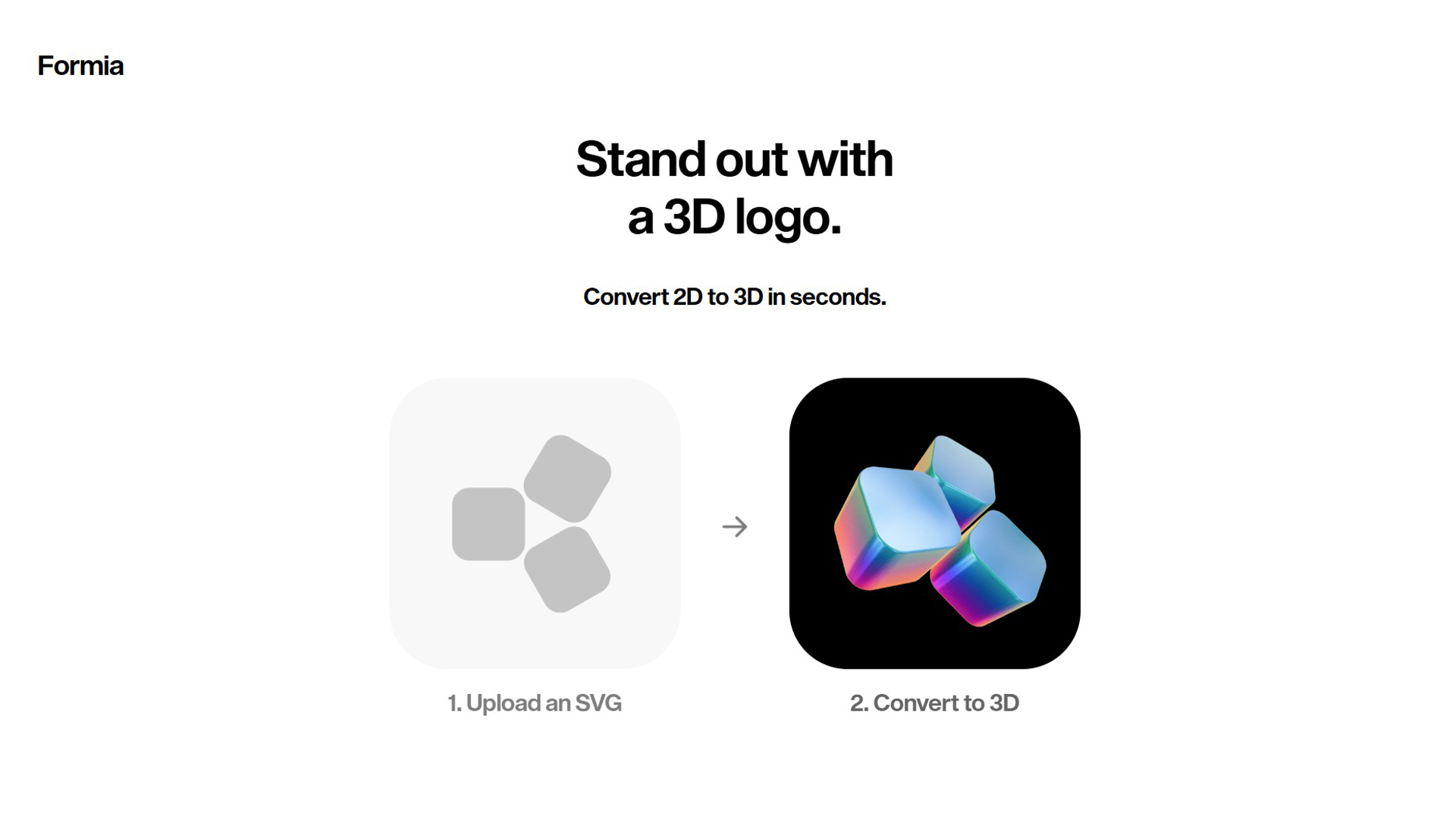
Formia AI (formia.so) is an AI-powered tool that transforms your existing 2D logo into a professional 3D version — instantly, without any 3D design software or technical skills. You upload your flat 2D logo, choose a style or material finish, and Formia’s AI generates a realistic 3D rendered version ready to use across your brand. It targets founders, marketers, and designers who want their brand to stand out with a premium 3D look without commissioning a 3D designer or learning tools like Blender or Cinema 4D.
Formia AI vs. Top Alternatives
| Tool | 2D to 3D Conversion | Skill Required | Free Plan | Price |
|---|---|---|---|---|
| Formia | ✅ AI-automated | None | ✅ Yes | Free / Paid |
| Spline | ⚠️ Manual 3D design | Medium | ✅ Yes | From $7/month |
| Vectary | ⚠️ Manual 3D design | Medium–High | ✅ Limited | From $12/month |
| Adobe Illustrator | ⚠️ 3D effect only | High | ❌ No | From $20.99/month |
| Blender | ✅ Full control | Very High | ✅ Free forever | Free |
| Canva | ⚠️ Basic 3D shadows | None | ✅ Yes | From $12.99/month |
Key Features
- Instant 2D to 3D Conversion: Upload any 2D logo (PNG, SVG) and Formia’s AI generates a 3D rendered version in seconds — no manual 3D modelling required.
- Multiple 3D Styles: Choose from different material finishes — metallic, matte, glossy, glass, and more — to match your brand aesthetic.
- Lighting and Shadow Control: Adjust the direction and intensity of lighting on your 3D logo to create the exact look and mood you want.
- High-Resolution Export: Download your 3D logo in high resolution suitable for websites, social media headers, presentations, and print.
- No Software Installation: Entirely browser-based — nothing to install, no GPU required, works on any device.
- Transparent Background: Export with transparent background (PNG) so the 3D logo drops cleanly into any design or layout.
Pricing
| Plan | Price | Exports | Resolution | Key Features |
|---|---|---|---|---|
| Free | $0 | Limited | Standard | Try the 3D conversion, watermarked or limited exports |
| Paid | TBA — check formia.so | Unlimited | High-res | Full export quality, all styles, transparent background |
Note: Formia is a newer tool and full pricing details are available directly at formia.so. Check their pricing page for the latest plans.
Who Is Formia For?
Formia is ideal for: startup founders who want a premium 3D brand presence without hiring a 3D designer, marketers refreshing a brand for a campaign or product launch, social media managers who want eye-catching 3D logo headers and thumbnails, and designers who want a quick first draft of a 3D logo concept to present to clients. It’s less suited for users who need fully custom 3D logo animation or complex 3D scenes — for those, tools like Spline or Blender give more control.
Pros and Cons
| ✅ Pros | ❌ Cons |
|---|---|
| Zero 3D design skills required | Less control than full 3D tools like Blender or Spline |
| Conversion takes seconds, not hours | Output quality depends on input logo quality |
| Browser-based — no installation needed | Pricing not fully transparent yet (newer tool) |
| Multiple material and lighting styles | Not suitable for complex 3D scenes or animation |
| High-resolution export with transparent background | Relies on AI interpretation — very detailed logos may need adjustment |
Our Verdict
Formia earns a 4.2/5 for what it sets out to do. If your goal is to turn a flat 2D logo into a polished 3D version quickly and without design expertise, Formia delivers that better than any other tool currently available. The AI handles what would normally take hours in Blender in under a minute. For founders and marketers, that’s a significant value. The main limitation is the depth of control — power users who want pixel-perfect 3D customisation will eventually hit the ceiling. But for 90% of logo 3D use cases, Formia is the fastest, easiest answer.
Best Formia AI Alternatives
| Alternative | Best For | Skill Needed | Price |
|---|---|---|---|
| Spline | Interactive 3D design for web | Medium | From $7/month |
| Vectary | Product 3D visualisation | Medium–High | From $12/month |
| Blender | Full 3D control, free | Very High | Free |
| Canva | Simple 3D shadow/depth effects | None | From $12.99/month |
Frequently Asked Questions
Q: What is Formia?
A: Formia (formia.so) is an AI tool that converts 2D logos into 3D rendered versions instantly — no 3D design software or skills required. You upload your flat logo, choose a style, and download a professional 3D result.
Q: Is Formia free?
A: Formia offers a free tier to try the 3D conversion. Paid plans unlock higher resolution exports and full feature access. Check formia.so for the latest pricing details as the tool is actively developing its plans.
Q: What file formats does Formia accept?
A: Formia accepts standard logo formats including PNG and SVG. For best results, use a clean SVG or a high-resolution PNG with a transparent background as your input.
Q: How long does Formia take to convert a logo?
A: Formia generates a 3D version of your logo in seconds. The AI conversion is near-instant — there’s no waiting for a render queue like traditional 3D software.
Q: Can I use Formia without any design skills?
A: Yes. Formia is designed specifically for non-designers. The interface is simple: upload your logo, select a style, adjust lighting if desired, and download. No 3D knowledge needed.
Continued..
Q: What can I use Formia’s 3D logos for?
A: Website headers, social media profile pictures and banners, presentation title slides, pitch deck branding, YouTube channel art, product packaging mockups, and email signature branding.
Q: How does Formia compare to Blender for logo 3D conversion?
A: Blender gives you complete creative control but requires significant learning time — expect weeks to produce professional results. Formia gives you a polished 3D logo in seconds with no learning curve. For most logo use cases, Formia wins on speed and accessibility.
Q: Does Formia support transparent background exports?
A: Yes. Formia exports 3D logos with transparent backgrounds (PNG format) so they can be dropped into any design, slide, or website without a white box around them.
Q: Is Formia good for agencies?
A: Yes — agencies and freelance designers use Formia to quickly generate 3D logo concepts to present to clients during branding projects. It dramatically speeds up the concept presentation phase before committing to detailed 3D work.
Q: What are the best alternatives to Formia for 3D logos?
A: Spline for interactive 3D web design, Vectary for product 3D visualisation, Blender for maximum free control, and Adobe Dimension for photorealistic 3D branding. Formia is uniquely positioned as the fastest no-skill option specifically for logo conversion.