
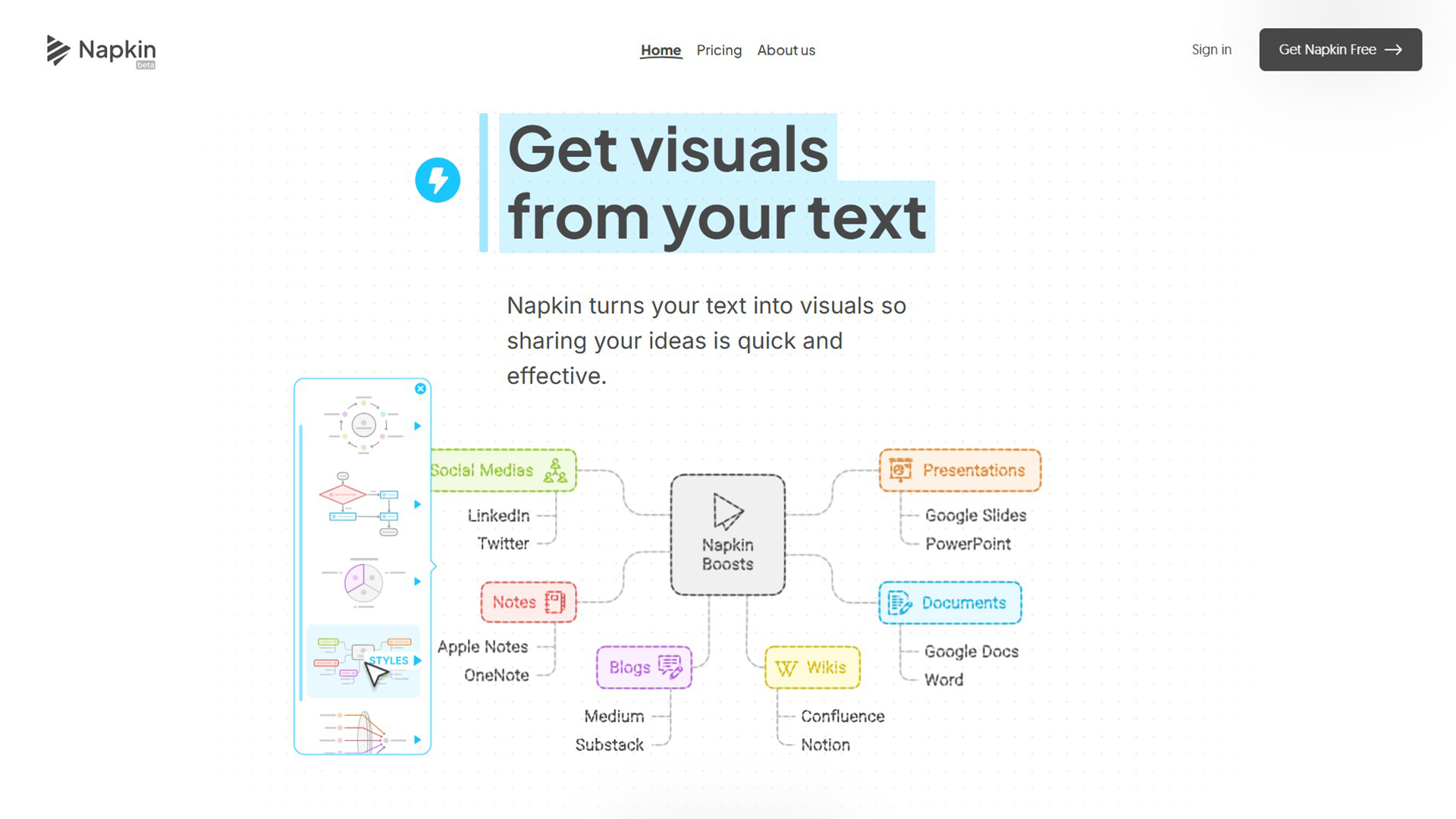
Napkin AI is an AI tool that transforms written text into professional visual diagrams, flowcharts, infographics, and concept maps — instantly. Paste any text (a paragraph, a process description, a concept explanation) and Napkin AI generates multiple visual representations. You choose the style, edit labels, and export to PNG, SVG, or PDF. It targets professionals who communicate complex ideas visually: consultants, educators, content creators, and business analysts who want presentation-quality visuals without design skills.
Napkin AI vs. Top Alternatives
| Tool | Text-to-Visual AI | Export Formats | Free Plan | Price |
|---|---|---|---|---|
| Napkin AI | ✅ Core feature | PNG, SVG, PDF | ✅ Yes | Free / Pro ~$10/month |
| Canva AI | ⚠️ AI suggestions | PNG, PDF, PPT | ✅ Generous | From $12.99/month |
| Miro AI | ✅ AI mind maps | PNG, PDF | ✅ Limited | From $8/month |
| Whimsical AI | ✅ Flowcharts + mind maps | PNG, SVG | ✅ Limited | From $10/month |
| Lucidchart AI | ⚠️ AI shapes only | PNG, PDF, Visio | ✅ Limited | From $9/month |
Key Features
- Text-to-Diagram in Seconds: Paste any text — article paragraph, process steps, concept explanation — and get multiple visual diagram options immediately.
- Multiple Visual Styles: Flowcharts, concept maps, comparison diagrams, process flows, timelines, and hierarchical charts — all generated from the same text input.
- AI-Suggested Labels: Napkin AI extracts key concepts and creates clear, concise labels — no manual label writing needed.
- One-Click Export: Export finished diagrams as PNG (for web), SVG (for editing), or PDF (for reports) with one click.
- Presentation-Ready Quality: Output quality is professional enough for slide decks, reports, and published content without additional editing.
- Brand Color Application: Apply your brand colors to any generated diagram for consistent visual identity across outputs.
Pricing
| Plan | Price | Diagrams | Exports | Key Features |
|---|---|---|---|---|
| Free | $0 | Unlimited | Limited quality | All diagram types, watermarked PNG export |
| Pro | ~$10/month | Unlimited | Unlimited HQ | SVG export, no watermark, brand colors |
| Business | ~$25/month | Unlimited | Unlimited HQ | Team features, custom templates, priority support |
Who Is Napkin AI For?
Napkin AI is ideal for: consultants and management professionals who present complex processes, educators creating visual learning materials, content marketers adding infographics to articles, business analysts documenting workflows, and anyone who thinks visually but struggles to create visuals quickly. It’s less suited for technical diagram types (UML, ER diagrams, network topology) where specialized tools like Lucidchart or draw.io are stronger.
Pros and Cons
| ✅ Pros | ❌ Cons |
|---|---|
| Fastest text-to-diagram conversion available | Free plan has watermarks on exports |
| Multiple visual styles from one text input | Technical diagram types (UML, ER) not supported |
| Professional quality output ready for presentations | Limited customization vs. manual diagram tools |
| Free plan has genuinely unlimited diagrams | Can’t import from Figma or other design tools |
| No design skills required whatsoever | Brand color feature is Pro only |
Our Verdict
Napkin AI earns a 4.5/5 — it’s one of the most impressive demonstrations of practical AI in 2026. The text-to-diagram conversion is fast, accurate, and produces genuinely professional output. For non-designers who need to communicate complex ideas visually, Napkin AI removes a major bottleneck. The free plan is surprisingly generous with unlimited diagram creation (watermarked exports). At $10/month for Pro, it’s one of the best-value AI tools in the design category.
Best Napkin AI Alternatives
| Alternative | Best For | Free Plan | Price |
|---|---|---|---|
| Whimsical AI | Flowcharts + collaborative wireframes | ✅ Yes | From $10/month |
| Miro AI | Team whiteboarding + AI mind maps | ✅ Yes | From $8/month |
| Canva AI | Full visual content creation | ✅ Generous | From $12.99/month |
| Lucidchart | Technical diagrams (UML, ER, network) | ✅ Limited | From $9/month |
Frequently Asked Questions
Q: What is Napkin AI?
A: Napkin AI is an AI-powered tool that converts written text into professional visual diagrams — flowcharts, concept maps, process flows, and comparison charts — in seconds, with no design skills required.
Q: Is Napkin AI free?
A: Yes. The free plan offers unlimited diagram creation with watermarked PNG exports. The Pro plan (~$10/month) removes watermarks, enables SVG exports, and adds brand color customization.
Q: What types of diagrams does Napkin AI create?
A: Napkin AI creates flowcharts, concept maps, mind maps, comparison diagrams, process flows, timelines, and hierarchical charts. It does not support technical diagram types like UML class diagrams or ER diagrams.
Q: Can I use Napkin AI for presentations?
A: Yes. Napkin AI’s output quality is presentation-ready. Export as PNG for slides or PDF for reports. The Pro plan’s SVG export allows further editing in Figma, Illustrator, or PowerPoint.
Q: How accurate is Napkin AI at converting text to diagrams?
A: Very accurate for clear, structured text. Process descriptions, numbered steps, and concept explanations convert excellently. Vague or unstructured text produces less accurate diagrams — the quality of your input directly affects output quality.
Continued..
Q: Does Napkin AI work for blog post infographics?
A: Yes. Content marketers use Napkin AI to generate infographics from blog post sections — particularly for how-to processes, comparisons, and conceptual explanations. It’s one of the fastest ways to add visual content to articles.
Q: Is Napkin AI better than Canva AI for diagrams?
A: For text-to-diagram conversion specifically, Napkin AI is faster and more accurate. Canva AI is better for full visual content creation (social media graphics, presentations, marketing materials). Different tools for different jobs.
Q: Can teams use Napkin AI collaboratively?
A: The Business plan supports team features including shared workspaces and templates. For solo creators, the free or Pro plan is sufficient. Real-time collaborative editing (like Miro) is not a core feature.
Q: What file formats does Napkin AI export?
A: Free plan: watermarked PNG. Pro plan: high-quality PNG, SVG (scalable vector, editable in other tools), and PDF. SVG export is particularly valuable for maintaining quality at any size.
Q: How does Napkin AI compare to Whimsical?
A: Napkin AI is faster at text-to-diagram conversion and requires less manual adjustment. Whimsical has stronger collaborative features and is better for wireframing and team-based visual work. For solo diagram creation, Napkin AI wins on speed.